From Design to Social Posts: Our Buffer Integration
Design, automate, and share to your social channels in one flow. The Buffer integration sends single images, batches, or video scenes straight from Hiding Elephant, with captions written from your brand context.

The creative is done. The crop is right. The product looks correct. And you are still several steps away from anyone actually seeing it.
Download the file. Open the scheduler in another tab. Upload it again. Write a caption from scratch. Adjust it for each platform. Repeat for the next asset. That stretch between finishing a design and going live is where creative momentum quietly dies, and for teams posting daily, it adds up to real hours.
Content creation only gets you halfway. So we closed the other half: Hiding Elephant now connects to Buffer, and you can go from canvas to scheduled social posts in a single flow.
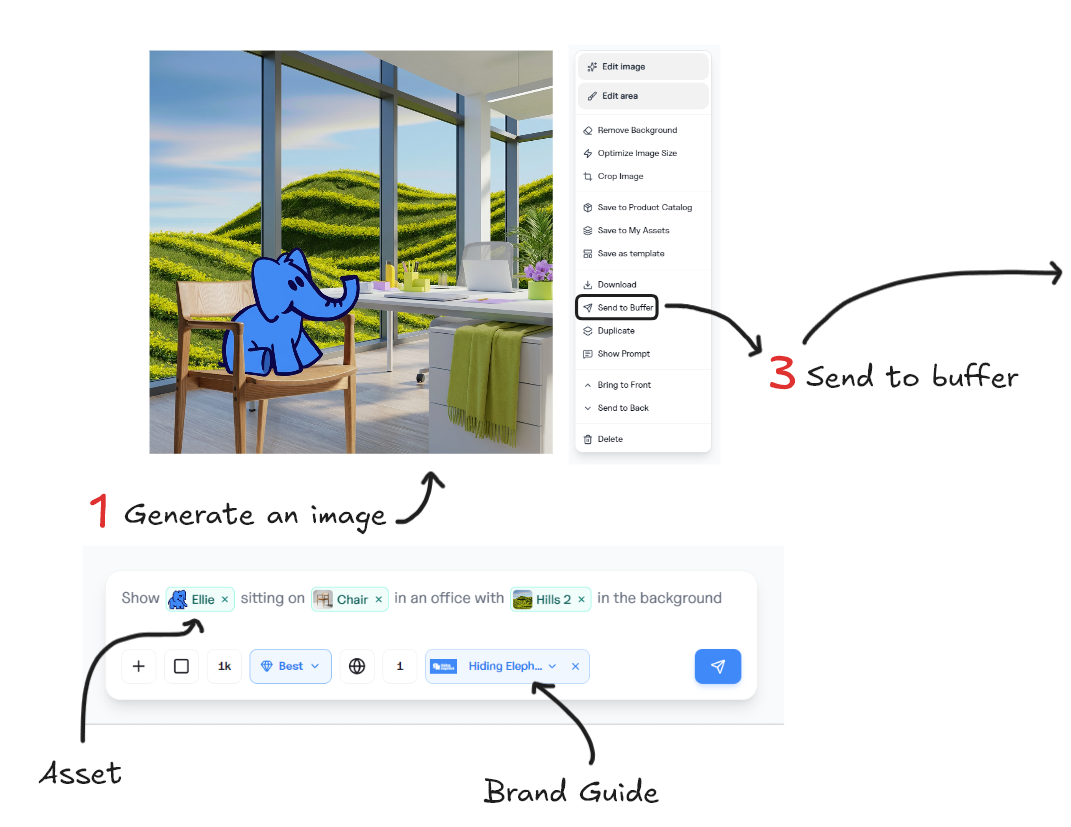
From Hiding Elephant Designer to Buffer Social Post
Why we added social publishing
Most of the teams using Hiding Elephant are not designing for the drawer. E-commerce brands, agencies, and social teams create visuals because they need to be seen: product visibility, brand awareness, staying active with an audience.
Publishing is not a side task for them. It is the point.
The friction was obvious in how people worked. Strong visuals came out of the workspace, then everyone left the platform to get them posted.
We did not want to rebuild a scheduling tool, and we did not need to. Buffer already does multi-channel publishing well. What we wanted was for the handoff to disappear.
So the integration keeps a clean split. You design, refine, and automate here.
Buffer handles queues, calendars, and channel connections there. The trip between the two is now one click instead of a download-upload-retype loop.
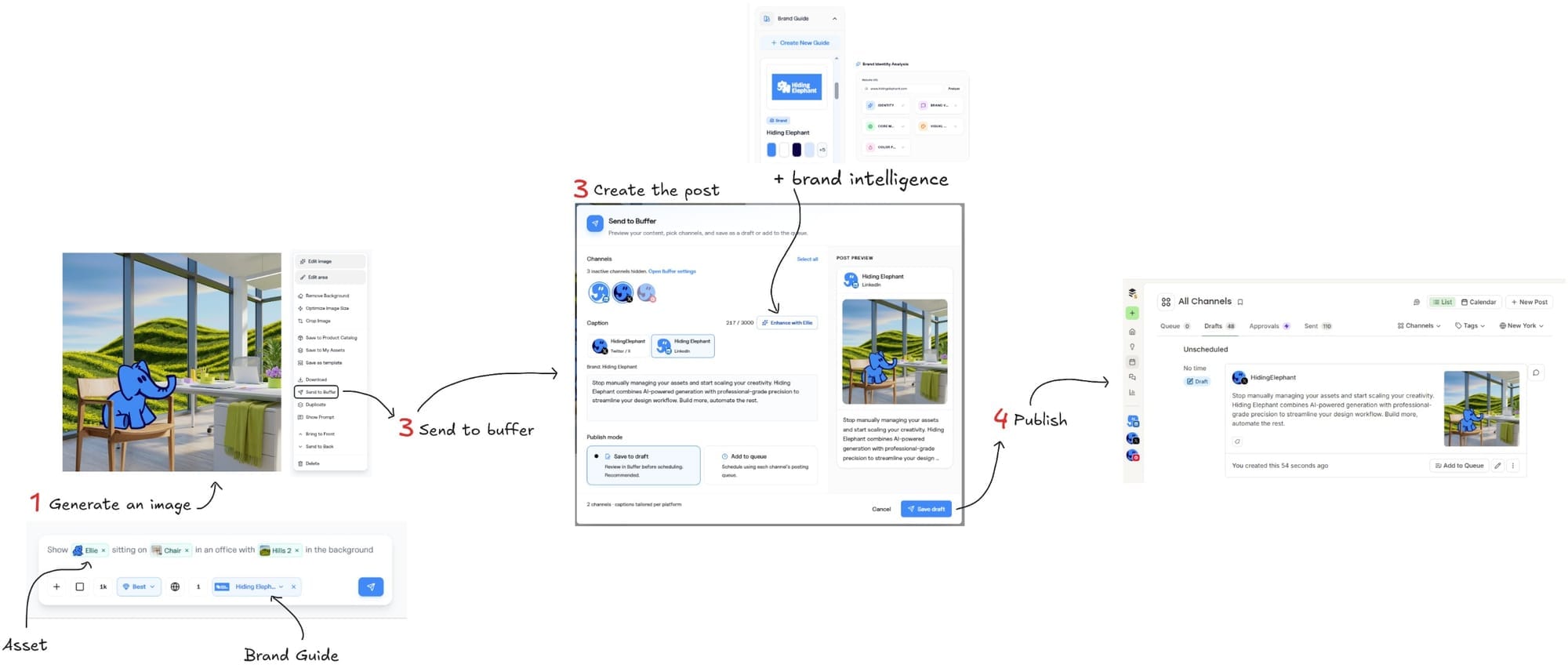
Buffer also published a case study on the Hiding Elephant + Buffer integration.
It covers why we chose to build on Buffer’s API instead of connecting every social network ourselves, how quickly the core integration came together, and what that unlocks for teams that already create in one place and publish in another.
If you want the build and partnership angle, start there. The rest of this post is the product view: how design, brand-aware captions, and sharing fit into one flow inside Hiding Elephant.
One flow: design, caption, share
With Buffer connected, everything you finish in the workspace becomes shareable in place:
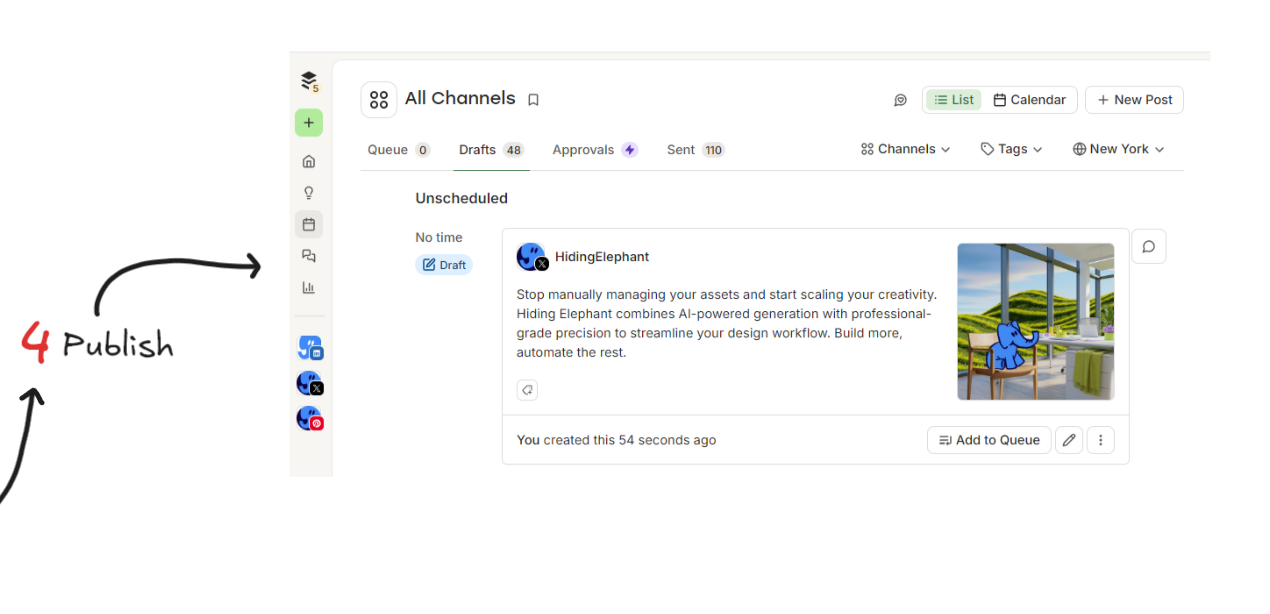
- A single image from Designer, sent to drafts or straight to the queue
- A batch of images, like a set of product variations from a workflow run, shared together
- A video scene, reframed for the channel that needs it
You pick the channels, choose drafts or queue, and send. No exports, no re-uploads.
Reframing matters more than it sounds. The same creative rarely fits every channel, so you can reframe an image for a different aspect ratio right before sending, in the same flow.
Captions that already know your brand
The blank caption box is where on-brand work turns generic. Someone finishes a beautiful visual, then types "New drop! Link in bio" because it is 6pm.
This is where the Brand Intelligence layer earns its keep.
When you send to Buffer, Ellie looks at the actual image you are posting, combines it with your brand voice, tone, knowledge, and visual style from your brand guides, and writes platform-specific captions.
Shorter for X. Longer for LinkedIn.
Each shaped by the same brand context that shaped the image.
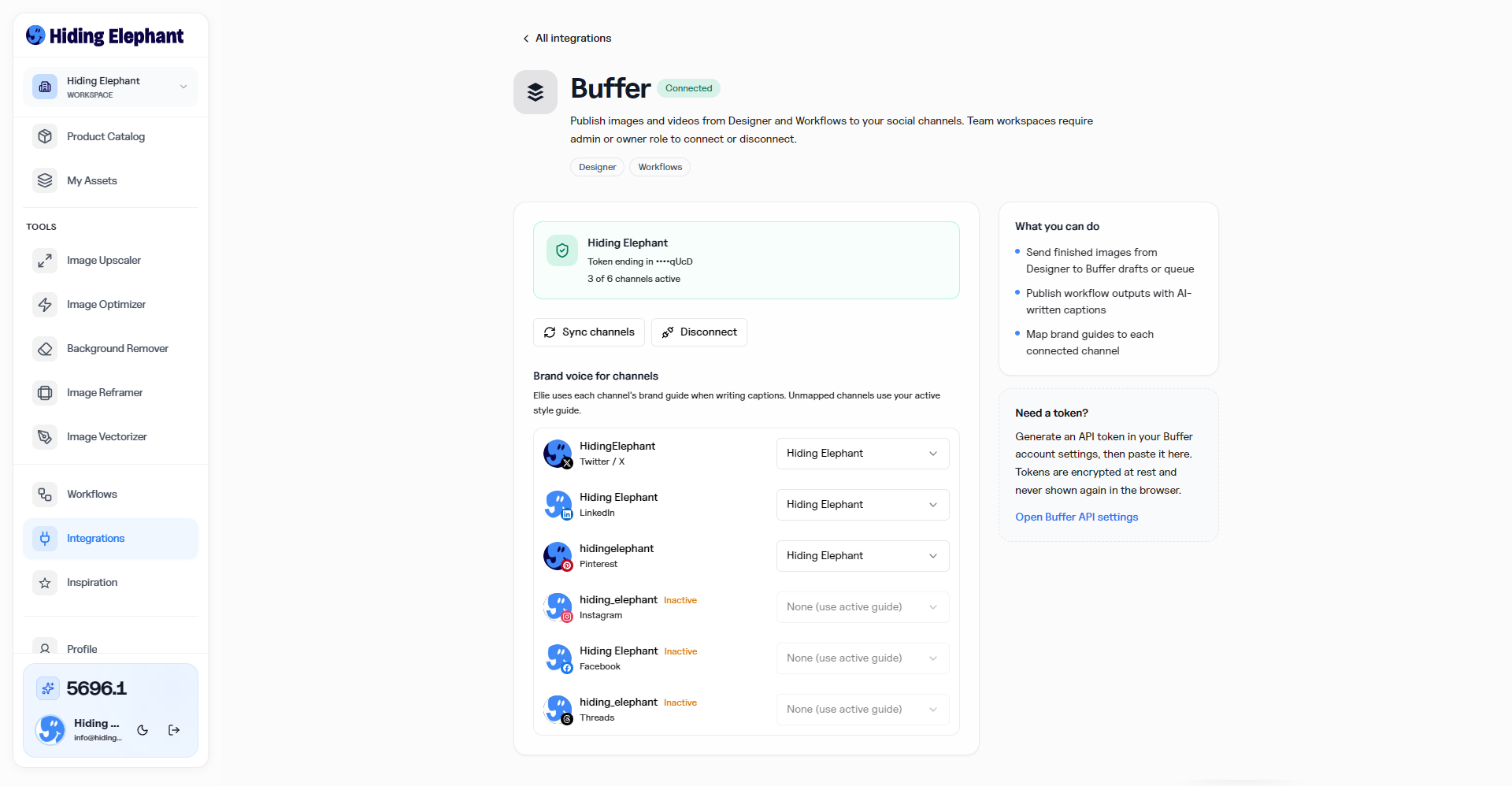
You can also map a brand guide to each connected channel, so accounts with different tones get different voices automatically.
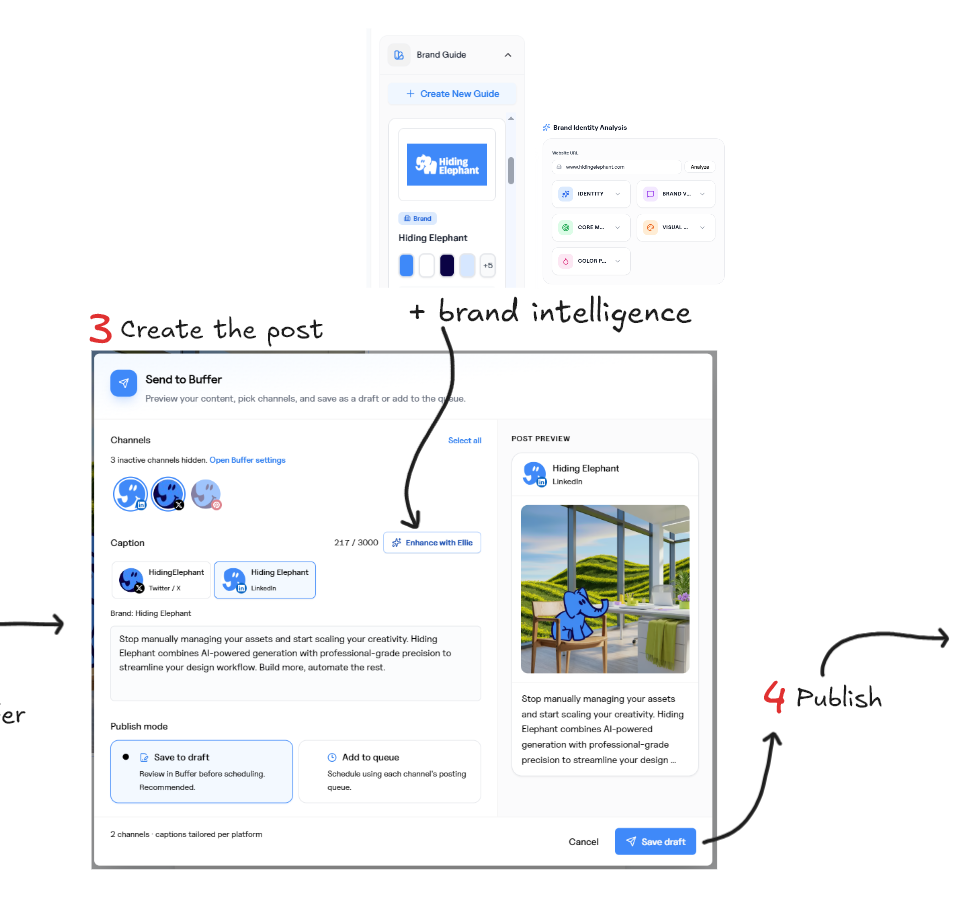
You still edit before anything goes out. The point is not autopilot. The point is starting from a caption that already sounds like your brand instead of a blank field.
Built for teams managing more than one brand
The integration gets most interesting when you multiply it.
An agency managing five clients can set up Brand Intelligence for each one, generate on-brand visuals per client, get captions in each brand's own voice, adapt them per platform, and send everything to the right Buffer queue or save as drafts for review.
The value is not just the time saved on uploads. It is consistency at volume. When the same brand context drives both the image and the caption, the feed stays coherent even when the team is moving fast.
How to connect it
Workspace admins can connect Buffer from Integrations. You paste an API token from your Buffer account settings, sync your channels, and optionally map brand guides to each one. Tokens are stored securely for the workspace, so the whole team publishes from one connection.
Where this goes next
Video is the near-term focus.
It is one of the strongest formats for attention and storytelling on social, so we are expanding video generation and the workflows around producing higher-quality scenes, and those flow into Buffer the same way images do.
Longer term, we want the loop to close in both directions: syncing with past posts, learning from hashtag and performance data, and feeding those insights back into future captions and creative. Create faster, and make sharper creative calls based on what actually works.
The last mile, handled
Hiding Elephant exists so teams can use AI's speed without giving up creative control. The Buffer integration extends that idea past the canvas: the work you shaped carefully gets published carefully too, with the brand context intact all the way to the queue.
Connect Buffer in Integrations, finish one creative you already like, and send it to a draft. The last mile should not be the longest part of the job.